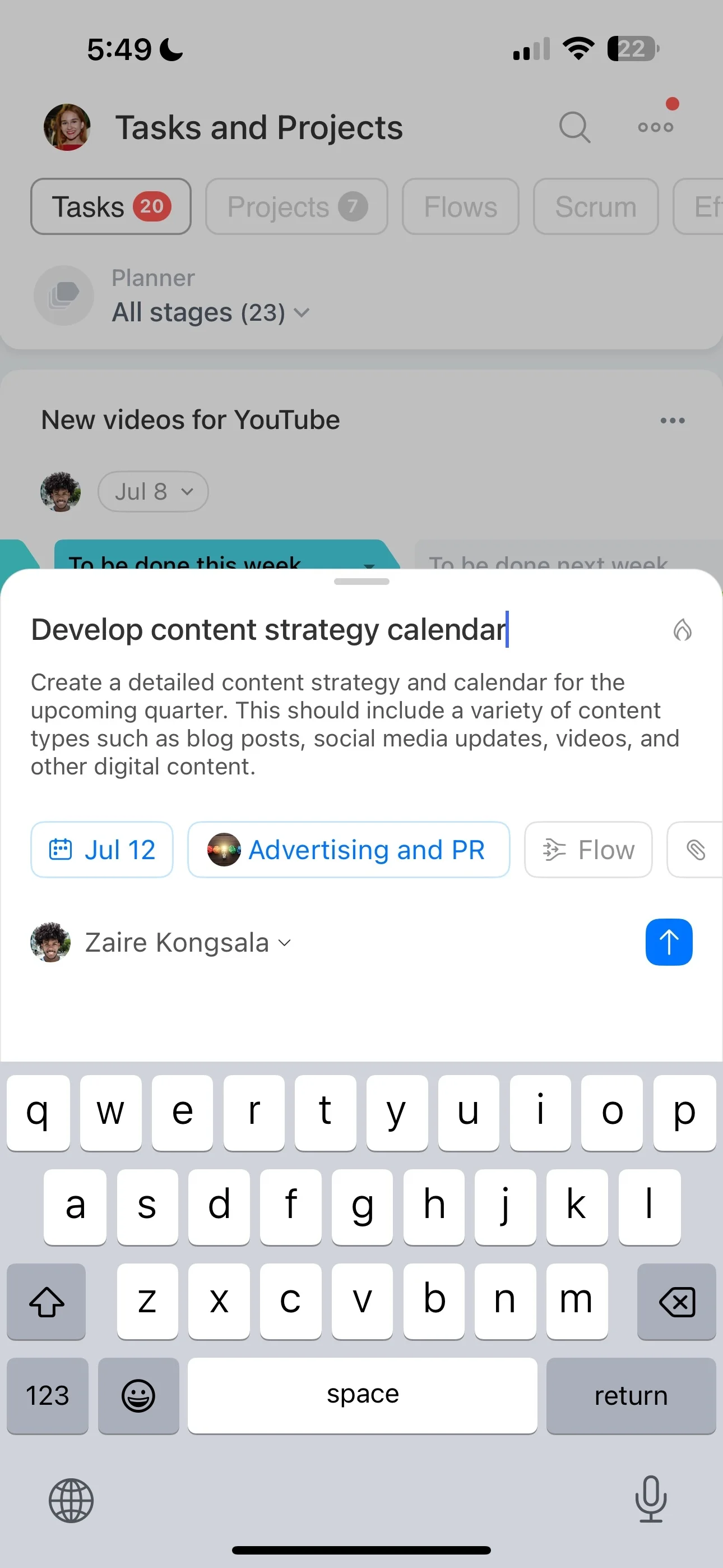
The right project management tools should match the way your team plans work, assigns responsibility, handles project information, and reviews progress. Comparing features in that order makes it easier to separate useful structure from an impressive but irrelevant feature list.
Bitrix24 provides a shared workspace for organizing project activities and collaboration. Use this guide to assess the capabilities that fit your projects, roles, deadlines, and preferred way of working.
Keep project conversations near the work
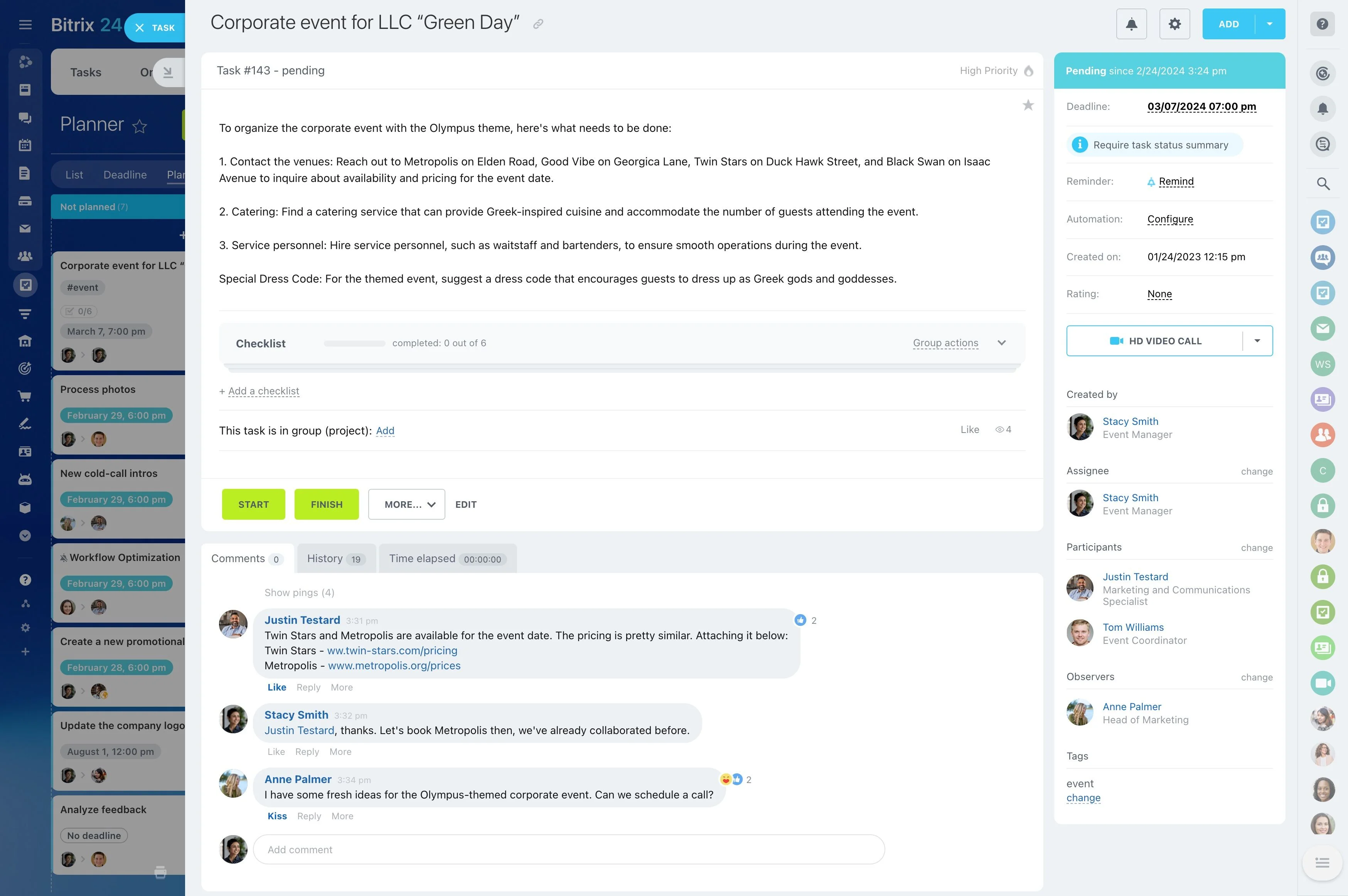
Questions, decisions, files, and updates often shape how a task is delivered. A project tool should give the team a clear place to continue these conversations alongside the relevant activities.
Bitrix24 supports this approach through shared project workspaces where teams can coordinate work and keep related communication connected to delivery.
Define the work your tool must support
Start by mapping the work your team needs to control: projects, recurring activities, responsible roles, deadlines, and approval points. This gives your comparison a practical basis instead of leaving you to judge tools by feature count.
- Break projects into tasks and stages
- Assign responsibility for each activity
- Set deadlines and review progress
- Keep relevant project information connected to the work
Turn project plans into assigned work
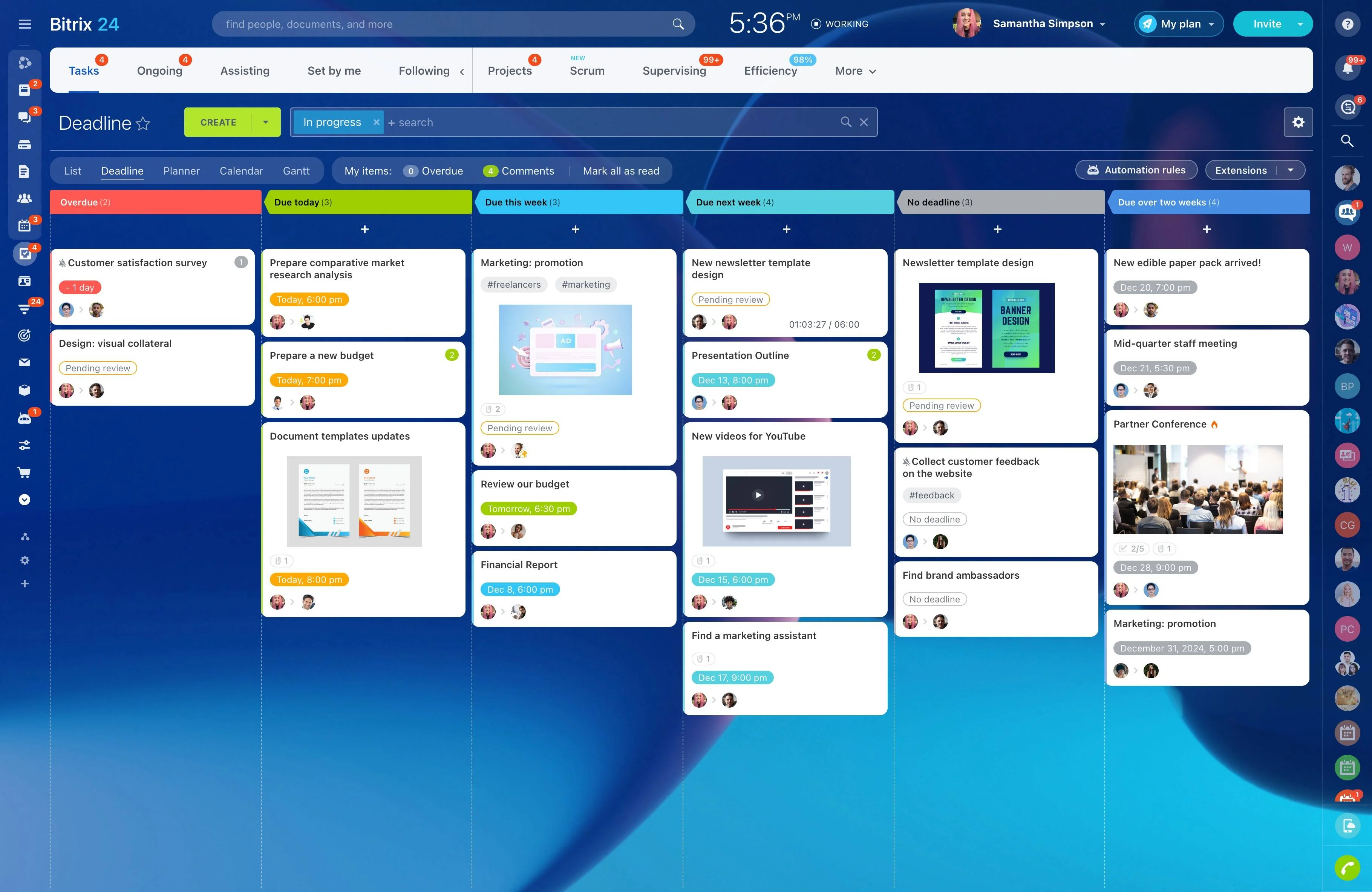
Planning features should turn a project idea into a sequence of actionable tasks. Look for ways to define activities, arrange them in a useful order, assign owners, and set due dates.
This structure helps project leads distinguish upcoming, active, and completed work while giving contributors a clear next action.
Match project views to team responsibilities
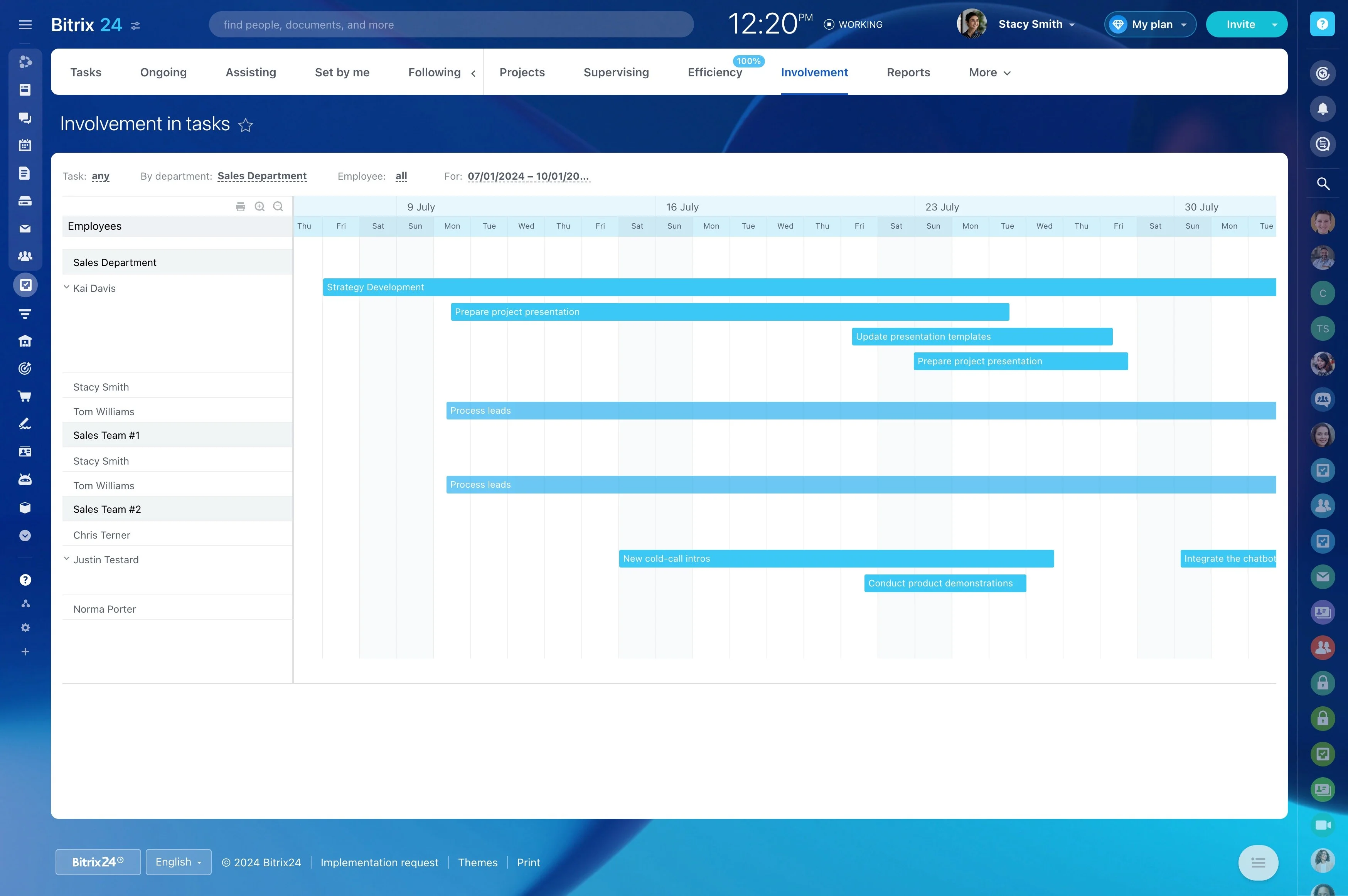
A detailed task list can support execution, while a visual project view can make stages, timing, and workload easier to review. The useful choice depends on who is looking at the work and what they need to decide.
When comparing project management tools online, check whether contributors and project leads can work from views suited to their responsibilities without separating the underlying work.
Review ownership and unfinished work
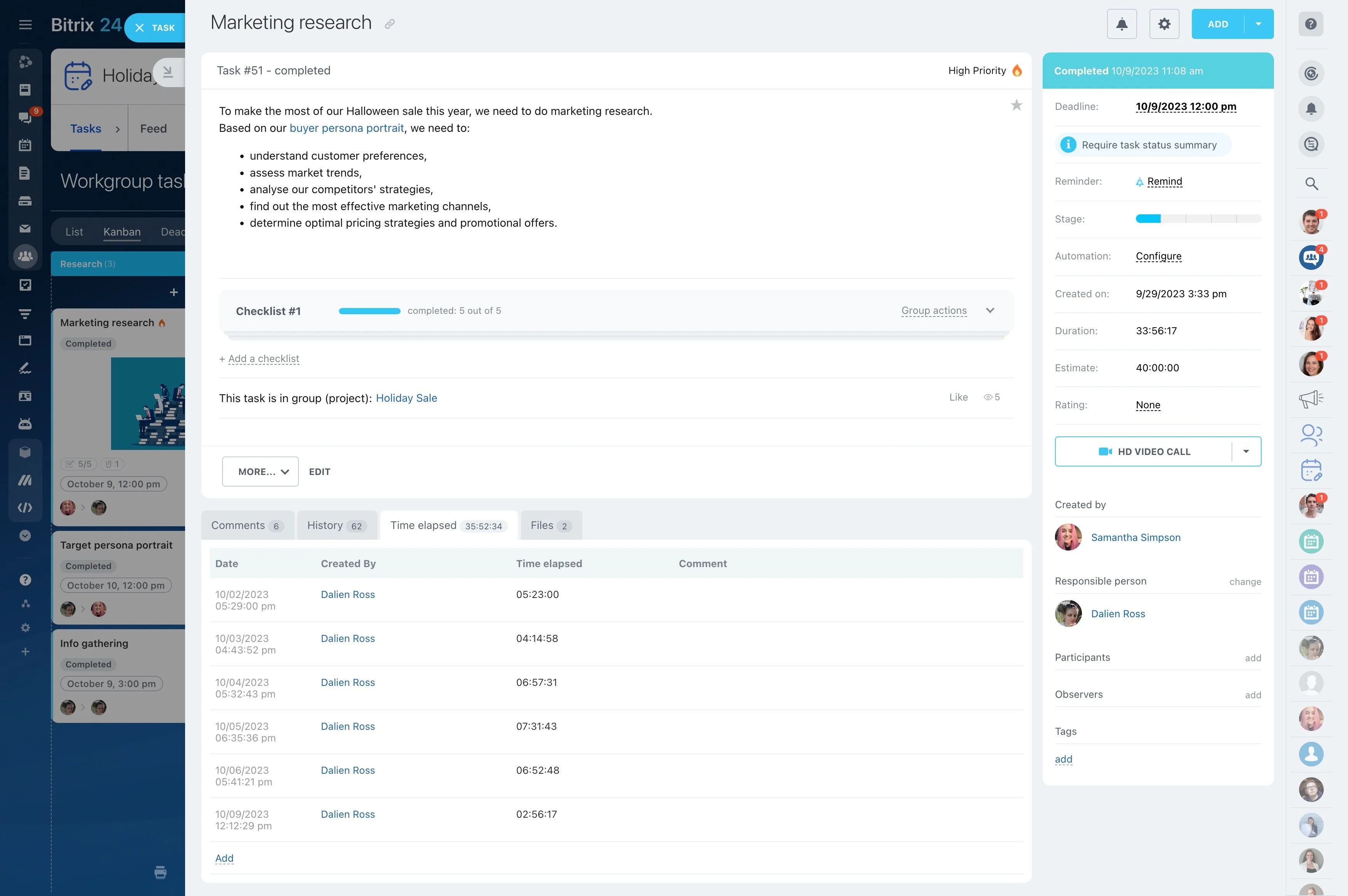
Progress is easier to assess when each task has a visible owner and status. Project leads can then focus on overdue or unfinished work, clarify responsibilities, and discuss specific actions instead of relying on general status updates.
As you compare tools, check how clearly they expose upcoming, active, overdue, and completed work to the people who need to act on it.
Assess free tools against real requirements
Free project management tools can be a useful starting point, but price alone does not show whether a tool fits your working process. Compare the planning, ownership, collaboration, and progress-review capabilities your projects actually require.
Also consider whether the structure remains useful as projects involve more stages, roles, or shared information.